
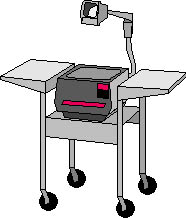
Projectors
As we enter into the new millenium, it seems that everything is electronic, digital, or virtual. Heavy emphasis is being placed on digital gadgets and gizmos, when some of the simplest tool can advance knowledge and learning. An example of one of those simple and inexpensive tools is the overhead projector. A projector, whether it be standard, portable, or an LDC-enhanced, can be more useful to a roomful of students than we dare to imagine in this high-tech day in age. How Can A Projector Be Useful In A Classroom? Projecting Your Computer Screen 
A LCD panel may be placed on the standard overhead projector and connected to a personal computer or laptop. Whatever is on the computer screen will project on the wall or on a projection screen, allowing a large group of student to follow whatever is on the computer screen. This combination expands the presentation capabilities of computers for those schools that have few computers and Internet access. Teachers can enhance their lessons by going through a web site, or a CD, while ensuring that everyone is looking at the same page. Students can take turns surfing the net, or running a software program, while the others watch. (Some of the newer projectors have LCD panels already built in.) 
|
|
|
For feedback on this article, please write to: TechKnowLogia@KnowledgeEnterprise.org |
|
|
Subscribe | Reader Feedback | To Sponsor | To Advertise Editorial Network | Editorial Policy | Home |
|
|
|
|
| TechKnowLogia, September/October 1999 | Copyright © 1999 Knowledge Enterprise, Inc. |
